


Published 15 Jun 2024
Maximizing Website Potential: The Power of WordPress SEO Services
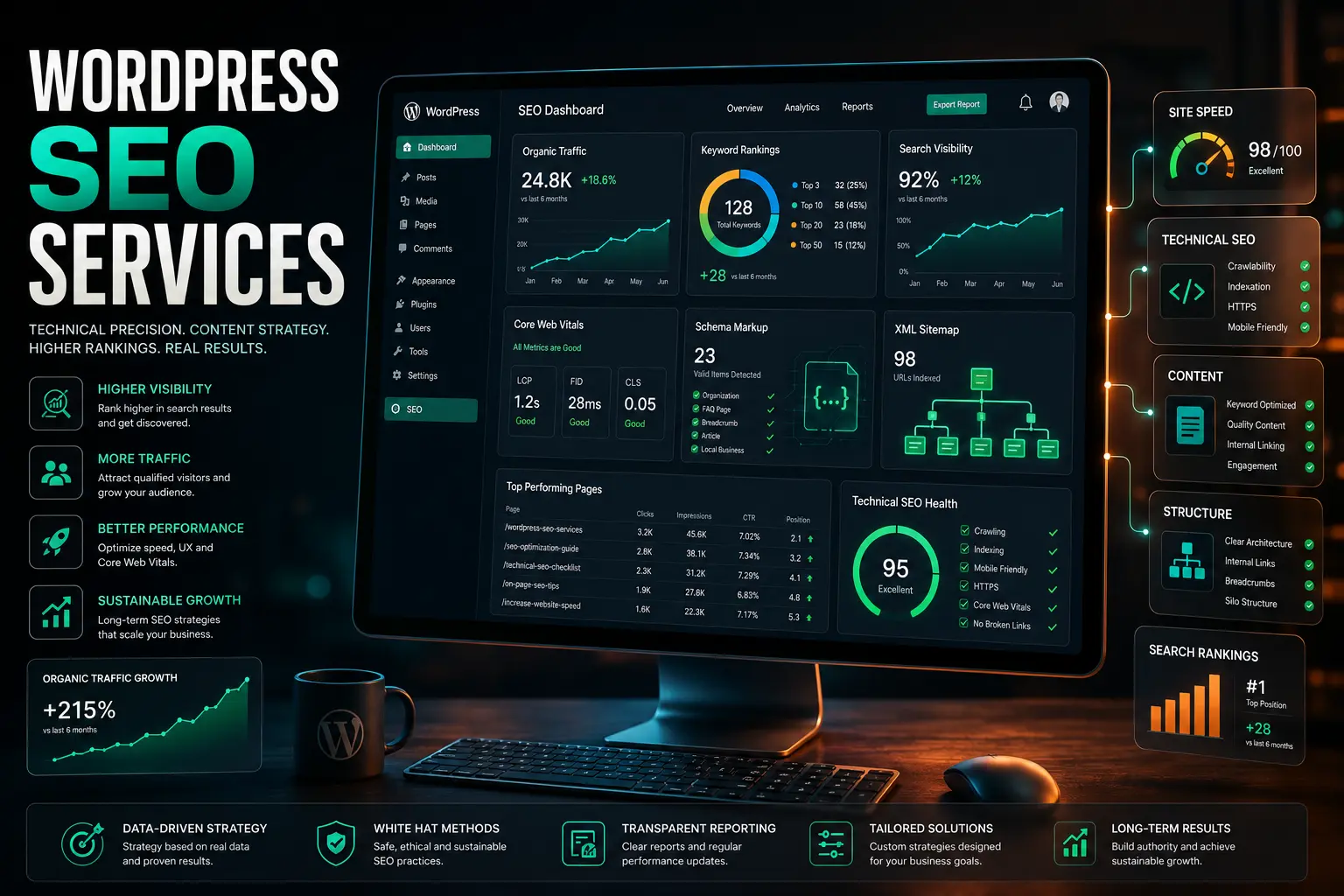
Unlock your site's full potential with expert WordPress SEO services. Optimize speed, structure, and content for more traffic. Get your free quote today!
Maximizing Website Potential: The Power of WordPress SEO Services
WordPress powers over 43% of all websites on the internet — but market share doesn't automatically translate into search rankings. Expert WordPress SEO services are what separates a site that simply exists from one that consistently attracts, converts, and retains organic traffic.
Quick Answer: WordPress SEO services are specialized optimization strategies designed for the WordPress platform — covering technical performance, site architecture, content strategy, plugin configuration, and authority building. Because WordPress has a unique ecosystem of themes, plugins, and code structures, it requires SEO expertise that goes beyond generic best practices to fully unlock its ranking potential.
Having a WordPress site gives you a powerful foundation. According to W3Techs, WordPress holds over 60% of the global CMS market share — which means more than half of all content management system-powered websites in the world run on WordPress. That dominance exists because the platform is flexible, extensible, and SEO-friendly by design.
But "SEO-friendly by design" is not the same as "optimized." A WordPress site without proper SEO configuration is like a high-performance engine that hasn't been tuned — the potential is there, but the results aren't. Professional WordPress SEO services close that gap, transforming your site into a consistent, compounding source of organic traffic and leads.
Why Is WordPress SEO Different From General SEO?
The principles of SEO — relevance, authority, technical soundness — apply universally. But the implementation on WordPress is distinctly different from other platforms, for several important reasons.
WordPress's flexibility is both its greatest strength and its most significant risk. The platform's open plugin ecosystem means that almost any functionality can be added — but it also means that poorly configured plugins, theme conflicts, bloated code, and redundant scripts accumulate over time, quietly undermining performance and rankings.
What makes WordPress SEO a specialized discipline:
Plugin conflicts and bloat: The average WordPress site runs dozens of plugins. Each one adds code to every page load. Without careful management, this creates performance bottlenecks that directly impact Core Web Vitals scores — and therefore, rankings.
Theme architecture: Many popular WordPress themes look impressive but generate excessive DOM elements, unoptimized CSS, and render-blocking scripts that damage page speed.
Orphaned content: WordPress makes it easy to create content rapidly, which means sites often accumulate hundreds of pages with no internal links, no clear hierarchy, and no strategic purpose — all of which dilute crawl budget and topical authority.
Database overhead: Over time, WordPress databases fill with post revisions, spam comments, transient data, and orphaned metadata, slowing query times and overall site responsiveness.
Security vulnerabilities: According to Wordfence's security research, 92% of WordPress vulnerabilities originate from outdated or poorly maintained plugins — and a hacked or penalized site loses its rankings overnight.
A specialist in WordPress SEO services understands all of these vectors and addresses them as part of a cohesive optimization strategy, not as isolated fixes.
Why Is Technical Performance the Foundation of WordPress SEO?
Google's ranking systems explicitly account for page experience signals — including Core Web Vitals metrics like Largest Contentful Paint (LCP), Interaction to Next Paint (INP), and Cumulative Layout Shift (CLS). A slow, unstable WordPress site fails these signals regardless of how good its content is.
Research from SE Ranking's technical SEO analysis found that only 54.6% of websites currently meet Core Web Vitals thresholds — meaning nearly half of all sites are actively being disadvantaged in rankings due to performance issues. On WordPress, where theme bloat and plugin conflicts are common, this proportion is often worse without active intervention.
Technical performance optimization for WordPress SEO covers:
WordPress Core and Database Optimization Cleaning up post revisions, optimizing database tables, removing expired transients, and ensuring WordPress core files are current and clean. A lean database means faster server response times — which is the starting point for every Core Web Vitals score.
Media Delivery and Image Optimization Images are consistently the largest contributor to page weight on WordPress sites. Proper optimization involves converting images to next-generation formats (WebP), implementing lazy loading, serving appropriately sized images per device, and using a CDN to reduce latency for visitors in different geographic regions.
Caching and Server Configuration WordPress is a dynamic CMS — every page load triggers database queries and PHP execution. Implementing server-side and browser caching, minifying CSS and JavaScript, and enabling GZIP compression dramatically reduces the work required to serve each page.
Render-Blocking Resource Elimination Scripts and stylesheets that block page rendering are one of the most common technical SEO issues on WordPress sites. Deferring non-critical JavaScript and eliminating unnecessary CSS keeps the browser free to paint the page quickly.
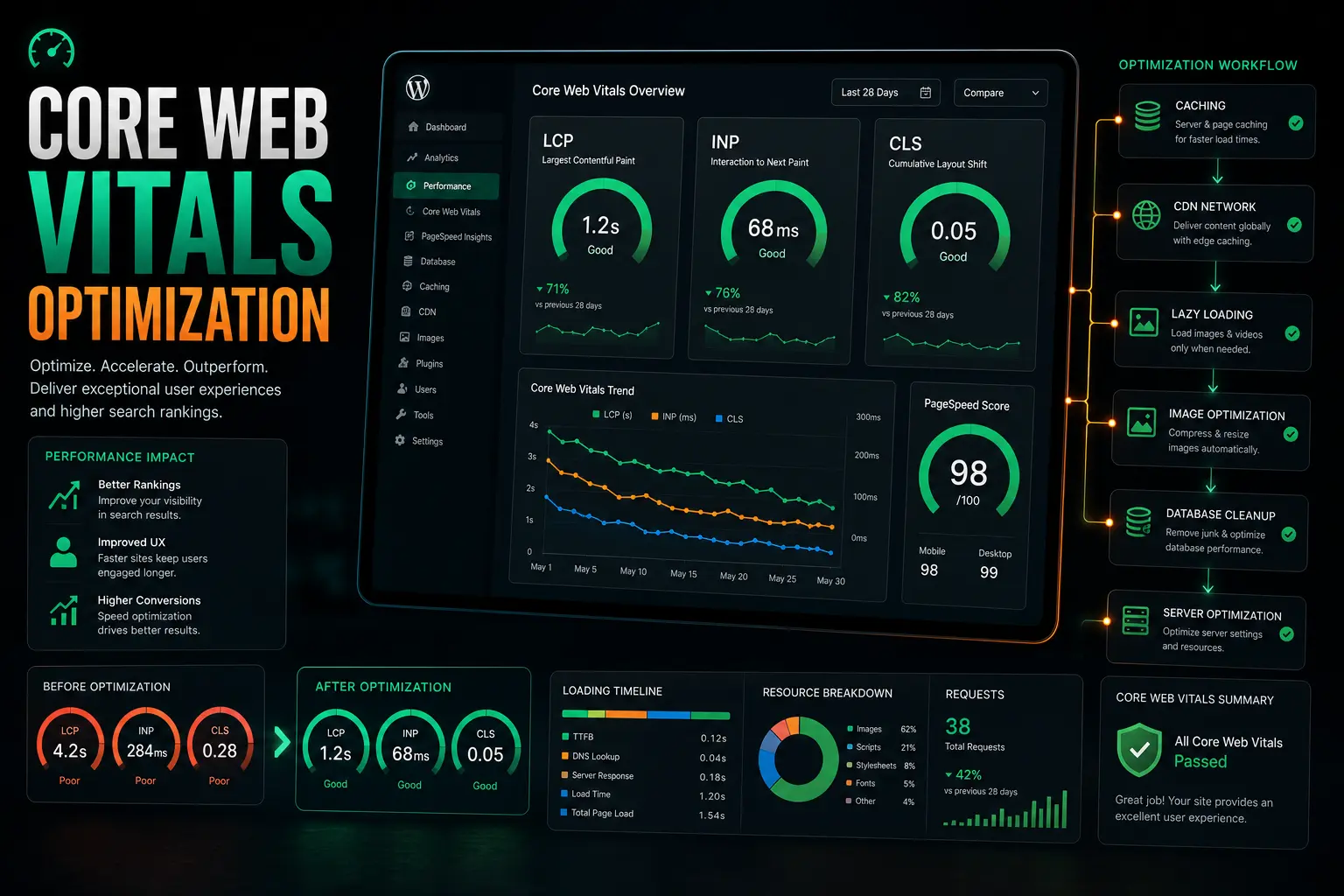
The result of proper technical optimization isn't just better scores on PageSpeed Insights — it's a measurably faster, more reliable experience for every visitor who lands on your site.
What Does a Full WordPress SEO Services Audit Reveal?
Before any optimization work begins, a comprehensive technical audit identifies exactly what's holding your site back. Most WordPress sites, even well-maintained ones, have multiple ranking suppressors hiding beneath the surface.
A thorough WordPress SEO audit examines:
Crawlability and indexation — Are search engines able to discover and index all of your important pages? Are low-value pages being excluded from the index?
Site architecture and internal linking — Do your most important pages receive adequate internal link authority? Are there orphaned pages with no inbound links?
Schema markup implementation — Is structured data correctly implemented to help Google and AI search engines (like Google's AI Overviews, Gemini, and ChatGPT) understand your business and content?
Duplicate content and canonicalization — WordPress can inadvertently generate duplicate content through category pages, tag archives, author archives, and pagination — each of which needs to be correctly handled.
XML sitemap health — Is your sitemap current, correctly configured, and free of errors? Research shows that 23% of websites have sitemaps containing redirecting URLs, and 15% are missing a sitemap entirely.
Robots.txt configuration — Are you accidentally blocking search engines from crawling important sections of your site?
Meta data completeness — Only 26% of websites use alt text for their images, and 50% use duplicate meta descriptions — both of which are common on WordPress sites without active SEO management.
The audit output becomes your optimization roadmap — a prioritized list of issues ranked by their impact on rankings and traffic.
How Does Semantic Site Architecture Improve WordPress Rankings?
Site architecture — the way your pages are organized, categorized, and linked to each other — is one of the most underappreciated ranking factors on WordPress. Most site owners focus on individual page optimization without considering how the overall structure affects their ability to rank.
The core problem: WordPress makes it extremely easy to create content. Over time, this leads to sites where important service pages are buried deep in the architecture, receiving little internal link authority, while low-value tag archives and pagination pages compete for crawl budget.
The solution: semantic site architecture. This means:
Organizing content into clear topical clusters, with pillar pages covering broad topics and supporting content pages covering specific subtopics — all internally linked to reinforce topical authority
Ensuring that your most commercially important pages receive the most internal link equity
Eliminating or consolidating thin, low-value pages that dilute the site's overall authority
Configuring WordPress categories and tags strategically rather than allowing them to multiply without purpose
Implementing breadcrumb navigation to give both users and search engines clear context about where each page sits in the site hierarchy
A well-structured WordPress site signals to Google that your content is organized, authoritative, and trustworthy — which directly supports higher rankings across your entire domain.
How Do You Build a Content Strategy That Drives Rankings on WordPress?
WordPress is one of the most capable content management platforms available — but the ease of publishing can work against you without a strategic framework. Publishing content without a clear keyword and intent strategy doesn't build authority; it creates noise.
Effective content strategy for WordPress SEO services includes:
Keyword and Intent Mapping Every piece of content should target a specific search query and satisfy a specific user intent — informational, navigational, or transactional. Mapping your existing content against search intent reveals gaps where valuable traffic is being missed and overlaps where pages are competing against each other.
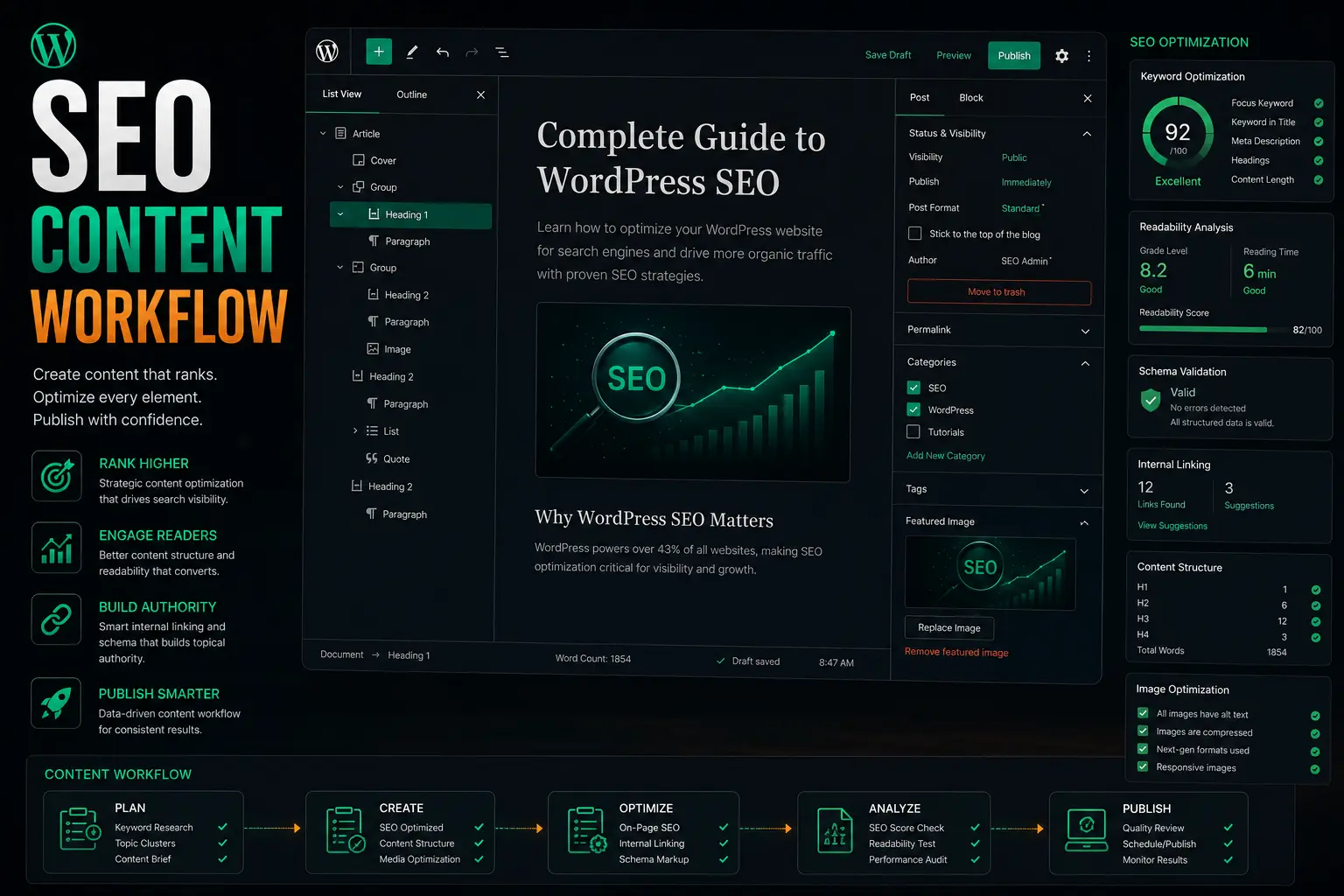
The Gutenberg Block Advantage WordPress's block editor offers significant SEO and readability benefits when used correctly. Custom content blocks — properly structured with semantic HTML, heading hierarchies, and schema-ready formatting — make your content easier for search engines to parse and more likely to be selected for featured snippets and AI Overview answers.
AEO and GEO Readiness Modern search increasingly involves AI-generated answers. Google's AI Overviews now appear in a significant portion of search results, and tools like ChatGPT and Gemini increasingly surface local and branded content in their responses. Structuring content to directly answer specific questions — with clear, concise language and FAQ schema — positions your WordPress site to capture this growing channel of visibility.
Media Management for SEO Every image uploaded to WordPress should be automatically compressed, converted to WebP format, and tagged with descriptive, keyword-relevant alt text. These steps improve page speed, accessibility, and image search visibility simultaneously — and they're consistently overlooked on sites without active WordPress SEO management.
What Role Do Plugins Play in WordPress SEO Services?
WordPress's plugin ecosystem is both its superpower and its most common source of SEO problems. The right plugins, correctly configured, dramatically accelerate optimization. The wrong plugins — or the right plugins configured poorly — create conflicts, bloat, and ranking issues.
Essential plugin categories for WordPress SEO:
SEO plugins (Yoast SEO, Rank Math, AIOSEO) — these manage meta titles, descriptions, XML sitemaps, schema markup, and breadcrumbs. Yoast alone powers over 22 million WordPress websites globally, making it the most widely deployed SEO plugin on the internet.
Performance plugins (WP Rocket, LiteSpeed Cache, W3 Total Cache) — handle caching, minification, and lazy loading
Image optimization plugins (Imagify, ShortPixel, Smush) — automate compression and format conversion on upload
Security plugins (Wordfence, Sucuri) — protect against vulnerabilities that can trigger Google penalties
The critical nuance is configuration. Out-of-the-box plugin settings are designed for general audiences, not for maximum SEO performance. Professional WordPress SEO services involve tuning each plugin's settings to work in harmony with your site's specific theme, hosting environment, and technical requirements — not simply installing and activating.
How Do WordPress SEO Services Build Long-Term Authority?
Rankings are not static. Earning and maintaining strong rankings on WordPress requires ongoing authority building — earning signals from external sources that tell Google your site is trusted, relevant, and authoritative in your space.
Link building for WordPress sites focuses on acquiring backlinks from websites that are both authoritative and topically relevant to your industry. According to research from Authority Hacker, nearly 80% of SEO professionals identify link building as a core component of their strategy, and 78% report satisfying ROI from their link acquisition campaigns.
For most WordPress-based businesses, the highest-value link opportunities come from:
Industry publications and trade directories
Strategic content partnerships and guest contributions
Local business associations and regional directories
Original research, data, or tools that naturally attract citations
Authority building also extends to your Google Business Profile, local citations, and brand mentions across the web — all of which contribute to how authoritative your WordPress site appears to search engines.
You can learn more about our broader approach to digital marketing services or explore how a well-built WordPress development foundation supports every layer of SEO performance.
Frequently Asked Questions About WordPress SEO Services
Can I handle WordPress SEO on my own without professional help? Basic on-page optimization — writing meta titles, adding alt text, installing an SEO plugin — is absolutely manageable without specialist help. However, technical performance optimization, semantic site architecture, entity-based authority building, and schema implementation require a deeper level of expertise and ongoing attention. Most business owners get significantly better results by focusing on their core business and working with a professional for the SEO layer.
Will WordPress SEO services slow down my site? Professional WordPress SEO services do the opposite. Speed optimization is a central component of any serious WordPress SEO engagement — including caching configuration, image compression, database cleanup, and render-blocking resource elimination. A properly optimized WordPress site is substantially faster than an unoptimized one, not slower.
How long does it take for WordPress SEO to produce results? Technical improvements — particularly Core Web Vitals scores and crawlability fixes — can produce measurable results within weeks. Content and authority improvements typically take three to six months to show meaningful ranking gains, with results compounding over time. New content published on a technically sound, authoritative WordPress site ranks significantly faster than the same content on an unoptimized site.
What if my current WordPress site already has poor SEO? That's the most common scenario. A comprehensive WordPress SEO audit identifies exactly why your site is underperforming and produces a prioritized roadmap for improvement. Sites with poor existing SEO often see some of the largest ranking gains after optimization, because there's more room for improvement from the baseline.
Do I need to change my WordPress theme for better SEO? Not always — but theme choice significantly affects your SEO ceiling. Heavy, feature-bloated themes that generate excessive code and slow load times are a genuine ranking liability. Lightweight, well-coded themes (like Astra or GeneratePress) provide a much better technical foundation for SEO. Whether a theme change is warranted depends on what the audit reveals about your current theme's performance impact.
How does schema markup help WordPress SEO? Schema markup (structured data) is JSON-LD code added to your pages that tells Google — and increasingly, AI search platforms like Google's AI Overviews, Gemini, and ChatGPT — exactly what your content represents: your business type, services, reviews, FAQs, events, and more. WordPress SEO plugins can implement basic schema, but custom schema implementation goes significantly further, ensuring your business is understood as a credible, well-defined entity in search engines' knowledge graphs.
Conclusion: Your WordPress Site Is a Digital Asset — Treat It Like One
WordPress powers a significant portion of the internet's most successful websites. The platform's flexibility, plugin ecosystem, and content management capabilities make it an exceptional foundation for building lasting organic visibility. But that potential is only realized through expert WordPress SEO services — not through passive maintenance.
The data is clear: only about half of all websites currently meet Core Web Vitals thresholds, fewer than 30% use alt text on their images, and 50% have duplicate meta descriptions. Each of these is an opportunity. On a properly configured WordPress site, with strong technical foundations, a clear content strategy, and an active authority-building program, the compounding returns from organic search become one of your business's most reliable growth channels.
Stop settling for average rankings. With the right configuration, technical setup, and ongoing WordPress SEO services, your site can become your most consistent source of qualified leads — month after month, without ongoing ad spend.
Your WordPress site is ready to perform. The question is whether it's been given the right optimization to do so.
Get Your Free WordPress SEO Audit →
Explore Our WordPress Development Services →