

Published 4 Aug 2024
Top Webflow Themes: A Complete Guide to Choosing the Perfect Design
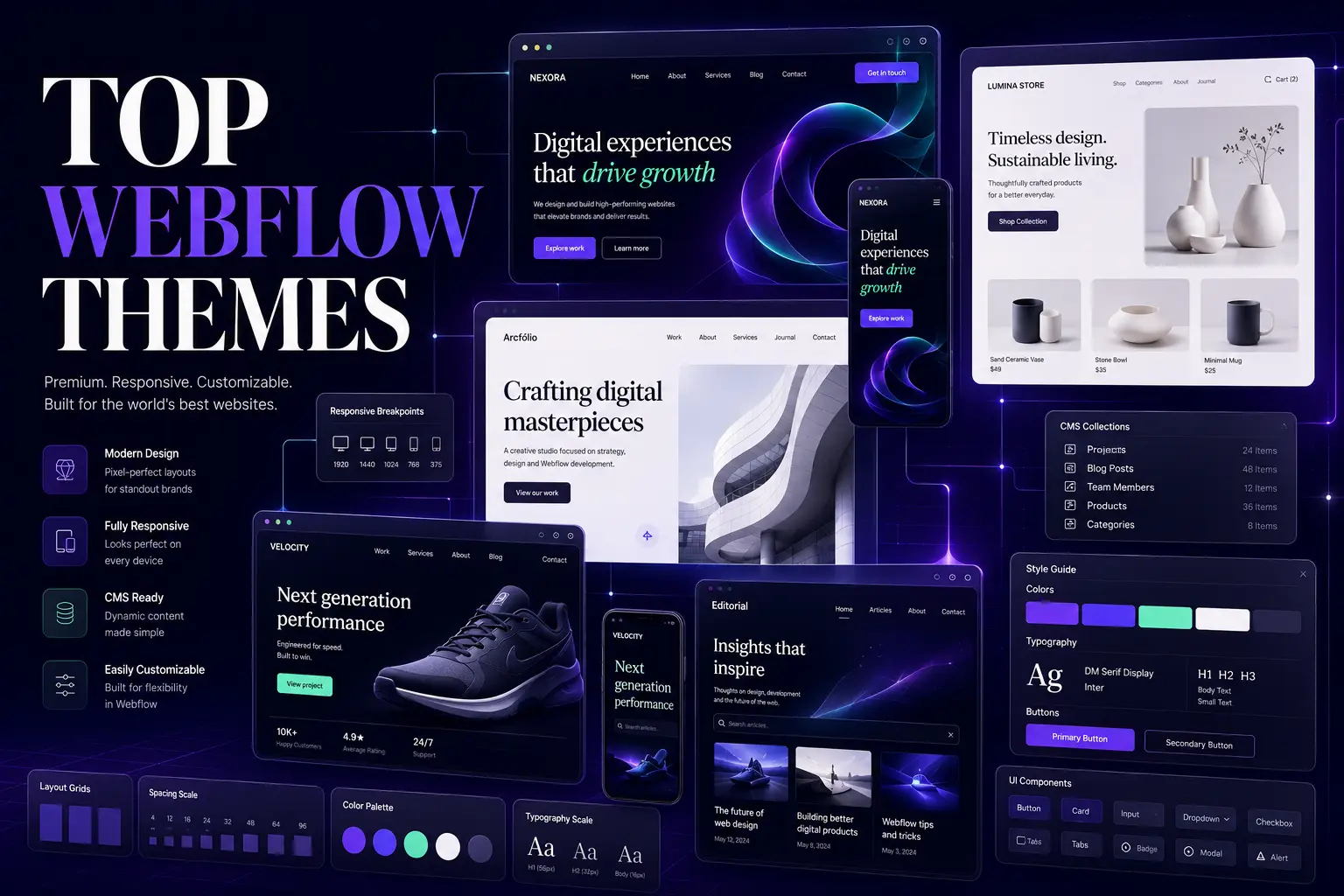
Discover the top Webflow themes for businesses, portfolios, and eCommerce. Find the perfect design for your next project. Get your free quote today!
Top Webflow Themes: A Complete Guide to Choosing the Perfect Design
Finding the top Webflow themes can completely transform your next web project. Whether you need a sleek portfolio, a robust eCommerce store, or a high-converting landing page, the right template saves you time and elevates your design.
Quick Answer: The top Webflow themes combine responsive design, clean visual aesthetics, and built-in functionality like CMS integration. Choosing a template tailored to your specific niche—whether that's business, blogging, or eCommerce—ensures you launch faster without sacrificing customization.
Webflow has completely changed how designers and developers approach the web. Instead of wrestling with rigid page builders or writing every line of code from scratch, you get a visual canvas that generates clean, production-ready code. But even with Webflow's incredible power, starting from a blank screen can be daunting. That’s where the top Webflow themes come in. They give you a massive head start.
Webflow now powers over 3.5 million websites globally. That massive adoption isn't just hype—it's a testament to how much professionals value the balance of design freedom and technical performance Webflow offers. Let's dive into how to pick the perfect template for your needs.
Why Should You Choose Webflow Over Other Platforms?
Before looking at specific templates, it helps to understand why Webflow is worth your time. Traditional platforms often force you to choose between easy design and clean code. Webflow eliminates that compromise.
When you build with the top Webflow themes, you get structures built natively on Webflow's canvas. This means you aren't importing bloated third-party plugins. Everything is optimized for speed and SEO right out of the box.
The real advantage? Total visual control without the technical debt. If you want to tweak a typography scale or adjust a grid layout, you can do it visually. The theme acts as a foundation, not a cage.
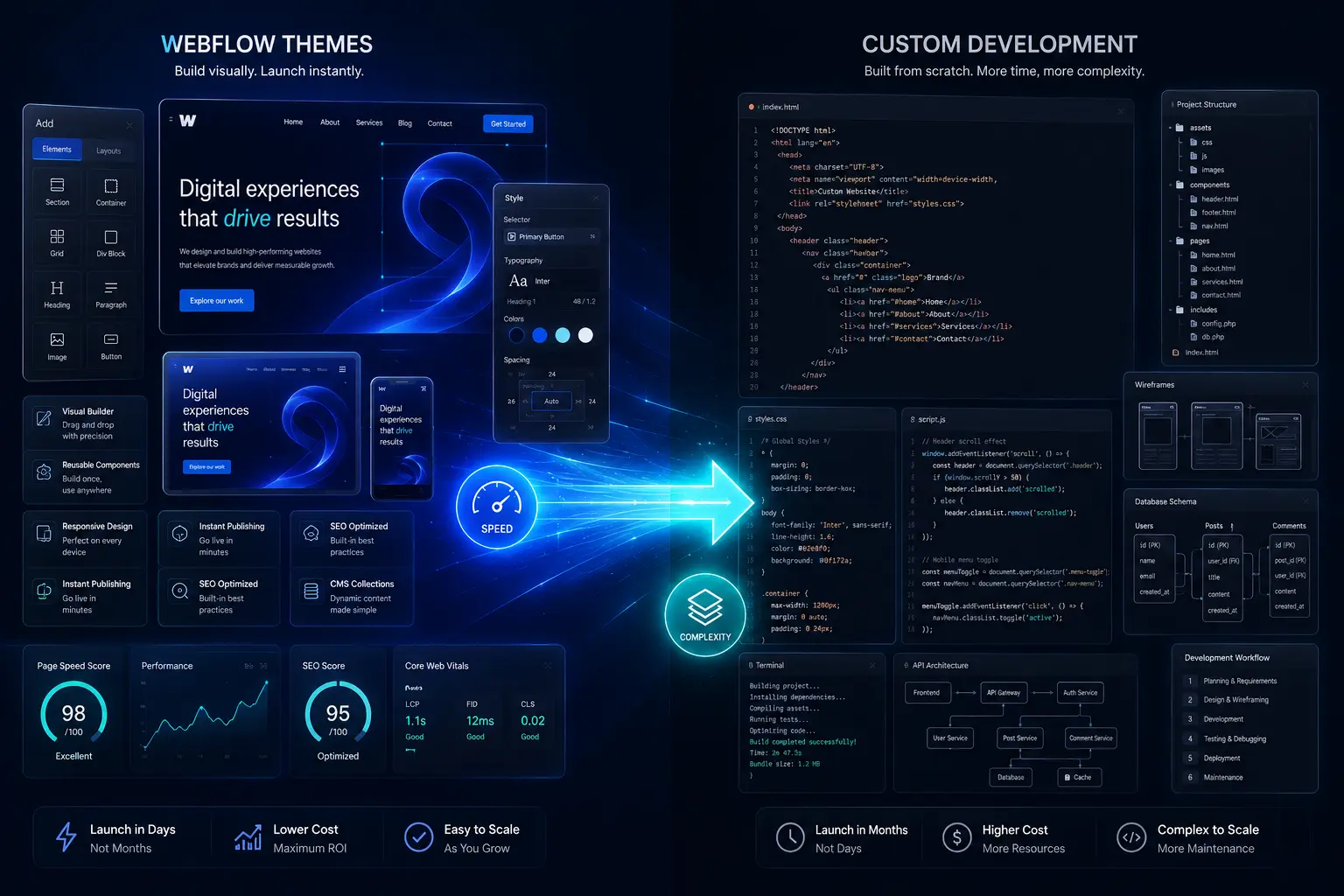
If you ever outgrow a template or need a completely bespoke feature set, transitioning to a fully custom web development solution is much smoother because the underlying code is already standards-compliant HTML, CSS, and JavaScript.
What Makes the Best Free Webflow Themes Stand Out?
Budget constraints are real, especially for startups or personal projects. The good news is that the top Webflow themes include some genuinely impressive free options.
Free doesn't have to mean cheap. The best free Webflow themes provide a solid structural foundation, clean typography, and basic responsive behavior. They might not have the complex animations or deep CMS setups of premium templates, but they are far from bare-bones.
Standout free options to explore:
Slate: A brilliantly minimalist theme perfect for blogs and personal sites. It strips away distractions and lets your content breathe.
Maven: An excellent choice for startups and tech companies. It features a modern, slightly geometric aesthetic that communicates innovation.
Lumen: Built specifically for photographers and visual artists, offering a clean canvas that makes images pop.
The catch with free themes? You will likely need to do more manual styling and CMS configuration yourself. Think of them as a well-framed house—you still need to paint the walls and move in the furniture.
How Do Premium Webflow Templates Justify the Cost?
When you're building a site for a serious business or a high-stakes launch, premium templates are almost always worth the investment. They save you dozens—if not hundreds—of hours of design and development time.
Premium Webflow templates come packed with advanced interactions, pre-built CMS collections (for blogs, case studies, or team members), and multi-page structures. You aren't just buying a homepage; you're buying a fully thought-out user journey.
Top-tier premium templates include:
Canvas: A true multipurpose powerhouse. Its universal design fits almost any industry, and its modular structure makes swapping sections a breeze.
Emerge: Tailored specifically for corporate and B2B businesses. It includes built-in service pages, testimonial sliders, and contact forms optimized for lead generation.
Fusion: A highly dynamic template designed for creative agencies. It features smooth scroll animations and bold typography that demands attention.
Premium templates pay for themselves the moment you calculate what your hourly design or development time is worth. They let you launch faster and focus on strategy rather than wrestling with basic layout issues.
Why Are Responsive Webflow Themes Non-Negotiable?
If a theme isn't fully responsive, it's not worth your time. Period.
Over 53% of all global web traffic now comes from mobile devices. If your site breaks or looks clunky on a smartphone, you're alienating more than half your potential audience before they even read your headline.
Responsive Webflow themes are designed to adapt fluidly to any screen size. But Webflow takes this a step further with its visual breakpoint system. Unlike other platforms where responsiveness is a black box, Webflow lets you see exactly how your layout shifts at desktop, tablet, and mobile sizes—and tweak it precisely at each stage.
Top responsive performers:
Velocity: Built for high performance on any device, making it ideal for tech startups where load speed is critical.
Horizon: Perfect for travel blogs and photography sites where large images need to scale beautifully without losing impact.
Metro: A clean, modern corporate design that maintains strict alignment and readability across all screens.
Never assume a theme is fully responsive just because it looks okay on your laptop. Always test the demo on your actual phone and resize your browser window to check for awkward wrapping or hidden elements.
Which Webflow eCommerce Themes Drive the Most Sales?
Selling products online requires a very specific set of design patterns. You need clear product grids, intuitive filtering, high-quality image galleries, and a frictionless checkout flow. Webflow eCommerce themes handle all of this natively.
Webflow's native eCommerce capabilities have matured incredibly well. You don't need to bolt on a third-party shopping cart. The top Webflow themes for eCommerce integrate seamlessly with Webflow's built-in store management, inventory tracking, and secure checkout.
High-converting eCommerce templates:
Commerce: A highly versatile theme equipped with powerful store features, dynamic product pages, and a streamlined checkout experience.
Boutique: The go-to solution for fashion or retail brands. It prioritizes large, editorial-style imagery that drives desire and builds brand prestige.
Market: Designed for larger inventories and marketplaces, offering robust category navigation and search functionalities.
Speed equals revenue. A 1-second delay in page load time can lead to a 7% reduction in conversions. Because premium eCommerce themes are built with clean code and optimized image structures, they help protect your bottom line by keeping load times fast.

What Are the Best Webflow Portfolio Templates for Creatives?
For designers, photographers, and agencies, your website is your portfolio. If the container holding your work looks generic or clunky, it undermines the quality of the work inside.
The top Webflow themes for portfolios are obsessed with visual hierarchy. They use unique grid layouts, smooth hover interactions, and cinematic image treatments to make your projects the star of the show.
Portfolio templates that impress:
Exposure: A visually rich theme built specifically for photographers and designers. It uses full-bleed imagery and minimal UI to keep the focus on visuals.
Folio: Offers elegant, flexible layouts that let artists and creatives categorize their work beautifully.
Showcase: Perfect for agencies and freelancers who need to present detailed case studies alongside visual assets.
When choosing a portfolio theme, look for one that supports Webflow's CMS. This allows you to add new projects simply by filling out a form, rather than manually duplicating pages every time you complete a job.
How Do You Choose the Right Webflow Blog Theme?
Blogging on Webflow is a joy, largely because of its powerful CMS capabilities. But you still need a theme that makes reading comfortable and content easy to navigate.
A good blog theme isn't just about the article page. It's about the category archives, the author pages, and the homepage feed. The top Webflow themes for blogging structure all of these logically.
Excellent blog-focused templates:
Blogster: A clean, minimal theme that puts readability first. It’s perfect for thought leadership and personal branding.
Chronicle: Designed for high-volume content sites like news portals and online magazines, featuring complex grid layouts and ad integration spaces.
Narrative: Built specifically for long-form storytelling, offering beautiful typography and immersive reading experiences.
Focus on typography and whitespace. If a blog theme feels cramped, readers will bounce. Look for templates with generous line heights, clear heading hierarchies, and ample margins.
When Should You Invest in Custom Webflow Themes?
Pre-built templates cover 90% of use cases. But sometimes, off-the-shelf just doesn't cut it. If your brand has highly unique interactive requirements, complex custom APIs, or a strictly proprietary design system, a custom theme might be necessary.
Custom Webflow themes are built from the ground up to your exact specifications. You get zero bloat—only the code and structure you actually need.
When to go custom:
Your brand guidelines require a totally unique interaction model.
You are building a complex web application, not just a marketing site.
You need deep, custom integrations with proprietary backend systems.
Building a custom theme requires significant Webflow expertise. If you have the budget but lack the in-house development capacity, partnering with a specialized design and development team ensures your custom theme is built to scale.
What Should You Look for in Webflow Landing Page Templates?
Landing pages exist for one reason: to convert. Whether that means capturing an email, registering for a webinar, or selling a product, the top Webflow themes for landing pages strip away navigation and distractions to focus purely on the goal.
High-impact landing page templates:
Launch: A high-energy theme built specifically for product launches, featuring countdown timers and bold headline typography.
Convert: Optimized for marketing campaigns, with strategic placement for testimonial blocks, feature comparisons, and form inputs.
Engage: A visually engaging template tailored for events and webinars, making it easy to highlight speakers and schedules.
The golden rule of landing pages: One page, one goal. Don't use a multipurpose template for a landing page. Use a dedicated template that funnels the user's eye directly to the call to action.
Frequently Asked Questions
Can I customize the top Webflow themes without knowing how to code?
Yes. Webflow's visual editor allows you to change colors, fonts, images, and layouts visually. However, understanding basic CSS box model concepts will make customizing advanced layouts much easier.
Are free Webflow themes good enough for a business website?
Free themes can work for early-stage startups or simple MVPs. However, established businesses usually benefit from the advanced features, polish, and dedicated support that come with premium templates.
What makes a Webflow theme truly responsive?
A truly responsive theme adapts its layout, typography, and image sizes fluidly across desktop, tablet, and mobile breakpoints. In Webflow, this means the designer has explicitly styled the elements at each major screen size.
Can I use Webflow themes for a fully functioning eCommerce store?
Absolutely. Webflow has native eCommerce functionality. Premium eCommerce themes are designed specifically to leverage these features, including dynamic product pages, secure checkouts, and inventory management.
How do I choose between a blog theme and a CMS theme?
In Webflow, "CMS" is the engine that powers blogs. A blog theme is simply a CMS theme pre-configured with the necessary collections (posts, authors, categories) and styled for long-form reading.
Is it difficult to switch themes after my site is already built?
Switching themes on an existing Webflow site can be complex, especially if you have heavily customized the original template or have a lot of CMS content. It’s usually better to choose your theme carefully at the beginning of the project.
Find the Perfect Webflow Theme for Your Next Project
The top Webflow themes are more than just pretty layouts—they are strategic starting points that dictate how fast you launch, how well your site performs, and how easily your audience converts. Whether you grab a sleek free template like Slate or invest in a powerhouse like Canvas, the key is matching the theme's strengths to your project's specific goals.
Don't get paralyzed by choice. Identify your core need—eCommerce, portfolio, blogging, or lead generation—filter down to the templates built for that purpose, and test their demos thoroughly. The right theme is out there, ready to bring your vision to life.