



Published 2 Jan 2025
Yoast SEO Simplified: A Complete Guide to Higher Search Rankings
Struggle with SEO? Learn Yoast SEO simplified to optimize your WordPress site and boost search rankings. Get your free SEO audit from Webtricker today!
Yoast SEO Simplified: A Complete Guide to Higher Search Rankings
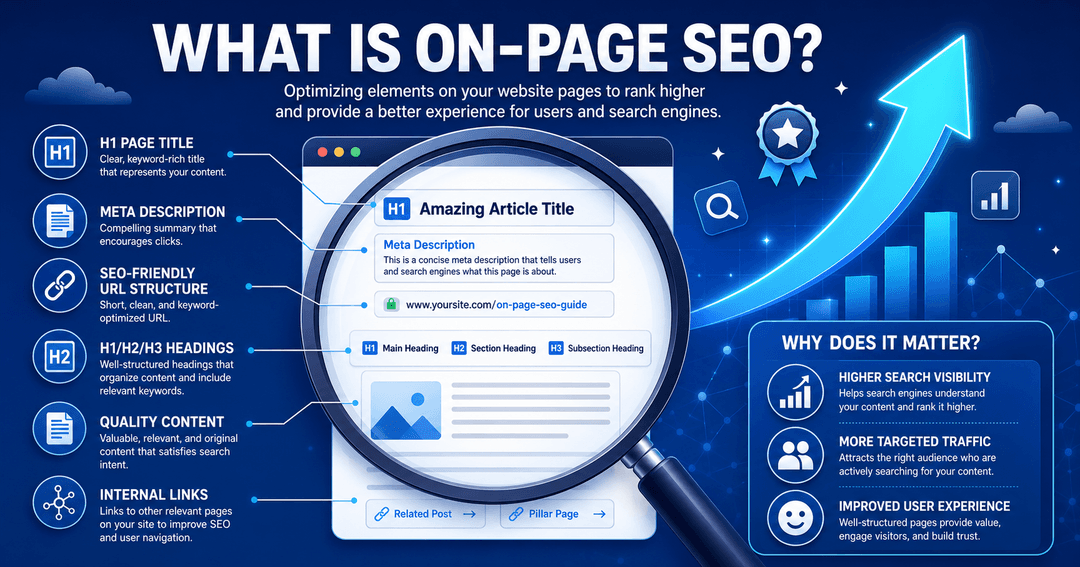
If you run a WordPress website, Yoast SEO simplified is one of the most practical frameworks for improving your search visibility without needing a developer on speed dial.
Quick Answer: Yoast SEO simplified means using the plugin's built-in traffic-light system, snippet editor, and content analysis tools strategically — not just installing it and hoping for the best. When used correctly, Yoast guides your keyword placement, meta tags, readability, and schema markup so every post is search-ready before it goes live.
Search engine optimization can feel overwhelming — algorithm updates, keyword density rules, schema markup, internal linking structures. Most site owners install Yoast SEO and then stare at an orange dot, unsure what to do next. The good news? The Yoast SEO simplified approach is actually designed to demystify SEO, not complicate it. This guide walks you through every major feature, from the traffic-light system to schema configuration, so you can turn those orange and red signals green — and keep them green.
Why Does Yoast SEO Matter for WordPress Sites?
The numbers make a compelling case for taking SEO seriously. Organic search drives roughly 53% of all website traffic, making it the single largest traffic source — bigger than paid ads, social media, and direct visits combined. Yet most small and medium-sized sites leave this channel underperforming simply because their on-page optimization is inconsistent or incomplete.
That's where Yoast SEO simplified comes in. Yoast is trusted by over 10 million active websites, according to the official WordPress plugin directory, making it the most widely installed SEO plugin in the WordPress ecosystem. Its core proposition is simple: take the guesswork out of on-page SEO with real-time feedback as you write.
The plugin won't write your content for you, and it can't build backlinks overnight. What it does do is give every content creator — beginner or experienced — a consistent checklist to work through before hitting "publish." That consistency compounds over time. A site where every post is properly optimized will outrank a site where only some posts are, even if the latter has better individual pieces.
Good SEO isn't about perfection on one post — it's about raising the floor across all of them.
What Is the Yoast SEO Traffic-Light System?
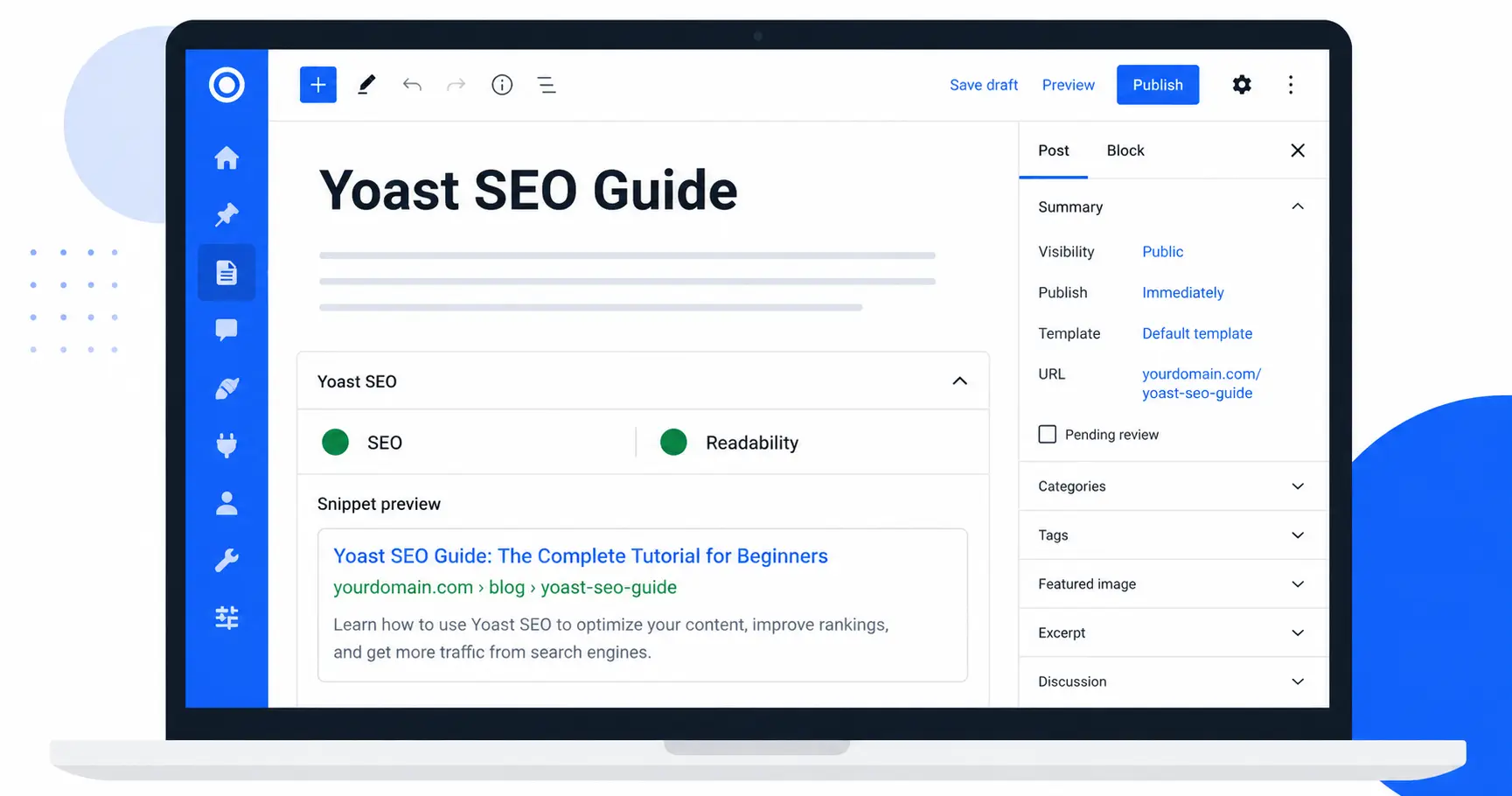
The traffic-light system is the most recognizable feature in Yoast SEO simplified, and it's the first thing new users notice. Every post and page gets two color-coded scores:
SEO Score — evaluates keyword usage, meta description, internal linking, outbound links, and image alt text, among other factors.
Readability Score — analyzes sentence length, paragraph size, use of transition words, passive voice, and subheading distribution.
Each score shows as a colored dot: red (needs work), orange (OK but improvable), or green (good). The goal is green on both, but here's an important nuance: the traffic-light system is a guide, not a law. Chasing a perfect green score by over-stuffing keywords or writing awkward sentences will hurt your content — and your rankings. Yoast's own team has said publicly that the tool is designed to prompt better habits, not to be gamed.
Use the red and orange signals as starting points. A red dot on "Outbound links"? Add a citation from an authoritative source. An orange on "Sentence length"? Break a few long sentences into two. Work through the list methodically and the score will improve naturally, without forcing anything.
How Do You Master the Meta Title and Slug in Yoast?
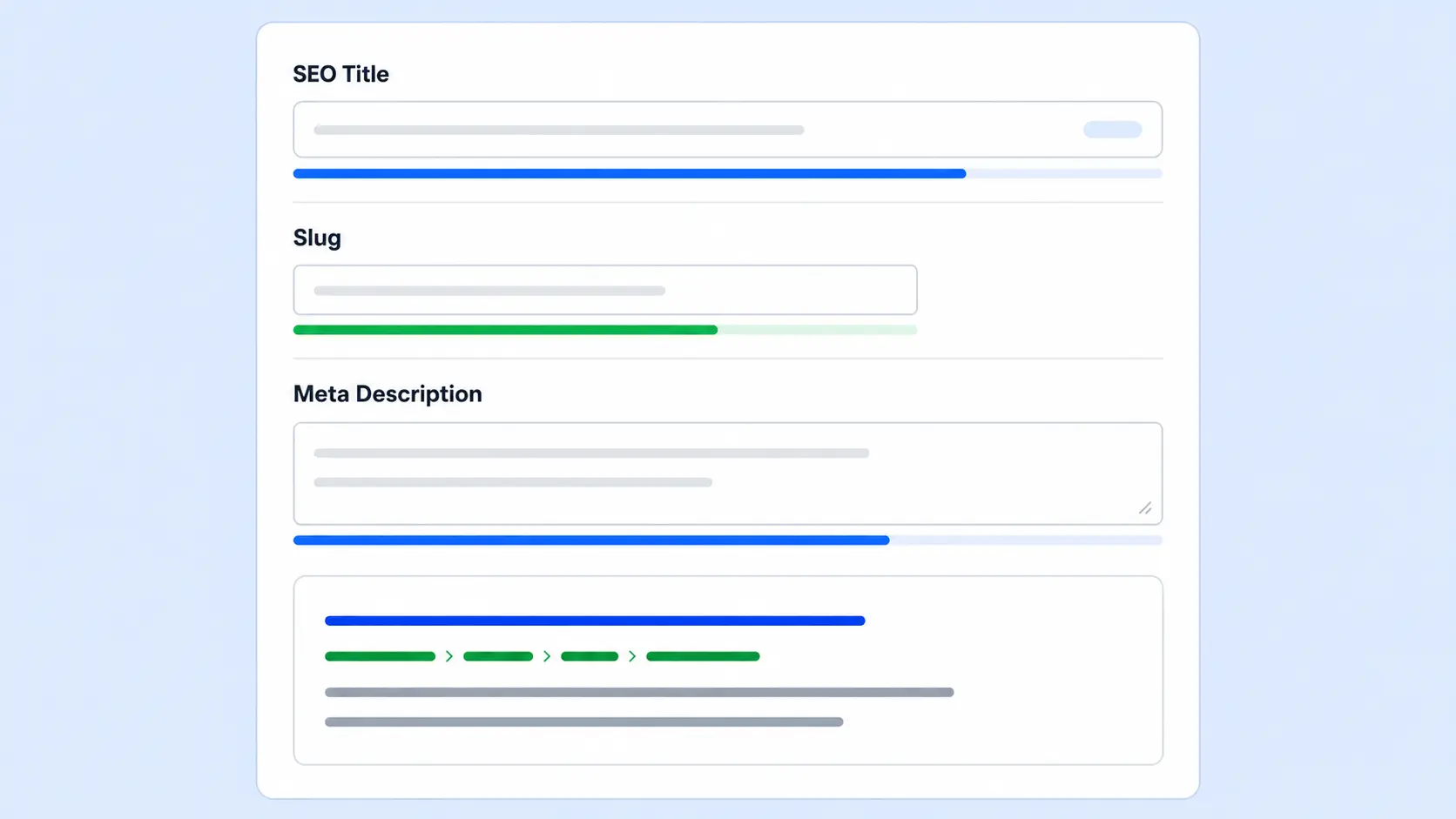
Your meta title is the headline that appears in search results. It's often the only thing a user reads before deciding whether to click — so it needs to work hard. Here's what Yoast SEO simplified teaches about getting this right:
Meta Title best practices:
Place your focus keyword as early in the title as possible
Keep it under 60 characters to avoid truncation in SERPs
Write for the human reader first — make it sound compelling, not robotic
Avoid duplicating your H1 word-for-word; vary the phrasing slightly
Slug best practices:
Use only lowercase letters and hyphens — no underscores, no numbers unless necessary
Stick to the core keyword phrase, stripped of filler words like "a", "the", "and"
Keep it under 50 characters where possible
Avoid dates or years in slugs — they make URLs feel stale and are hard to update later
A clean slug like /seo-tips will consistently outperform /10-ways-to-improve-your-seo-tips in both click-through rate and link-sharing behavior. Yoast's snippet editor lets you preview exactly how your title and slug will appear in Google before you publish — use it every time.
How Does Yoast SEO Help With Content Optimization?
Content optimization is where Yoast SEO simplified pays for itself most visibly. The plugin's analysis panel grades your post across more than a dozen individual criteria. Here are the most impactful ones to focus on:
Focus Keyword Placement:
Include the keyword naturally in your opening paragraph, at least one H2 heading, your meta description, and your image alt text
Aim for a keyword density of around 1–2% — Yoast will warn you if you're over or under
Vary the exact phrase with related terms so the text reads naturally
Internal Linking: Yoast tracks whether your post links to other pages on your site. Internal links serve two purposes: they help search engines understand the structure and hierarchy of your content, and they guide readers to related information. A well-linked site builds topical authority — which is one of the strongest signals Google uses to determine how broadly to rank a site on a given subject. Link to your web design and development services or relevant blog posts wherever it adds genuine value for the reader.
AEO and Schema Markup: Yoast automatically adds structured data (schema) to your pages, which helps AI-powered search features understand your content's context. In the plugin settings, make sure your Organization schema is correctly filled out with your business name, logo, and contact details. This entity recognition is increasingly important as search engines evolve to rely on structured signals rather than just keyword matching.
Image Alt Text: Every image on your post needs a descriptive alt attribute. Yoast flags this as a failing check if any images are missing it. Alt text serves both accessibility (screen readers) and SEO (image search indexing) — so it's worth writing carefully, not just as an afterthought.
What Are Yoast SEO's Most Powerful Technical Features?
Beyond the content panel, Yoast SEO simplified includes several technical features that handle background SEO tasks automatically — the kind of things that would otherwise require a developer or a separate plugin:
XML Sitemaps: Yoast generates and maintains an XML sitemap automatically, updating it whenever you publish or remove content. Submitting this sitemap to Google Search Console ensures search engines can crawl and index your pages efficiently, even when your internal linking isn't perfect.
Canonical URLs: Duplicate content is a silent SEO killer. If the same content is accessible at multiple URLs (with or without trailing slashes, HTTP vs HTTPS, etc.), search engines may split ranking signals between them. Yoast sets canonical URLs automatically to tell search engines which version is the "master" copy.
Robots Meta Tags: Some pages — like tag archives, author pages, or thin category pages — shouldn't be indexed at all. Yoast lets you set pages to "noindex" without touching your site's code. This keeps your crawl budget focused on pages that actually add value.
SERP Preview (Desktop and Mobile): Before publishing, you can switch between desktop and mobile previews of how your snippet will look in Google. Since mobile devices account for over 63% of all web traffic globally, checking the mobile preview isn't optional — it's essential.
Breadcrumb Schema: Yoast adds breadcrumb structured data automatically, which can appear in search results and help users (and search engines) understand where a page sits within your site's hierarchy.
Is Yoast SEO Premium Worth It?
The free version of Yoast SEO is genuinely powerful and covers the needs of most small sites and personal blogs. That said, the Yoast SEO simplified experience gets a significant upgrade in the Premium tier — priced at $99 per year for a single site — which adds several features that make a real difference for growing sites:
What Premium adds:
Redirect manager — automatically create 301 redirects when you change a URL, preventing broken links and preserving ranking signals
Internal linking suggestions — as you write, Yoast Premium suggests relevant posts on your own site to link to
AI-powered title and meta description generation — generate five SEO-friendly variants instantly, then pick the best one
Multiple focus keywords — optimize a single post for up to five related keyword phrases simultaneously
24/7 premium support — direct access to the Yoast team instead of community forums
For a small blog or portfolio site, the free version is almost certainly enough. For a business site publishing regularly and managing a growing content library, Premium's redirect manager and internal linking suggestions alone tend to justify the cost within the first few months.
When Is Yoast SEO Not Enough?
Yoast SEO simplified is a powerful on-page tool, but it has real limits — and knowing those limits is just as important as knowing its strengths.
What Yoast cannot do:
Audit your full technical infrastructure (crawl errors, server response times, Core Web Vitals)
Build backlinks or assess your domain authority relative to competitors
Conduct keyword research (though the Premium version integrates with Semrush for this)
Fix hosting-level performance issues that slow your site down
Identify content gaps or analyze what your competitors are ranking for
If your site has been stuck in the orange zone for months despite a solid content strategy, the issue is likely one of the above — not your Yoast settings. A full technical SEO audit would look at your site's performance and architecture, crawl behavior, backlink profile, and Core Web Vitals scores to surface the real bottlenecks.
The most common reasons a well-configured Yoast setup still underperforms:
Slow page load times (especially on mobile) undermining Core Web Vitals scores
Thin or duplicate content across multiple pages splitting ranking signals
Weak or irrelevant backlink profiles limiting domain authority
Poor internal linking structure leaving important pages with no link equity
Yoast can flag some of these issues in passing, but it's not designed to solve them. Think of Yoast SEO simplified as the foundation — necessary, but not sufficient on its own.
Frequently Asked Questions About Yoast SEO Simplified
Do I need the Premium version of Yoast SEO to rank well?
A: For most small sites and beginner content creators, the free version covers everything needed to implement solid on-page SEO. The Premium tier is most valuable for sites actively publishing new content frequently and managing a growing URL library where redirects and internal linking suggestions save significant time.
Will Yoast SEO guarantee a #1 ranking on Google?
A: No SEO tool can guarantee top rankings. Search rankings are determined by hundreds of signals — content quality, domain authority, backlink profile, page speed, and more. Yoast helps you optimize what's within your control on the page itself, but it's one piece of a larger strategy, not a silver bullet.
How many times should I use my focus keyword in a post?
A: Yoast recommends a keyword density of roughly 0.5–2.5%. For a 1,500-word post, that works out to around 8–37 mentions, though natural readability should always take priority. If a sentence sounds forced with the keyword in it, use a synonym or related phrase instead.
Does Yoast SEO work with page builders like Elementor?
A: Yes — Yoast SEO is compatible with Elementor, Divi, Beaver Builder, and most other major WordPress page builders, as well as both the Classic Editor and the Gutenberg block editor.
What is the difference between the SEO score and the Readability score?
A:The SEO score measures technical and structural factors — keyword placement, meta tags, link presence, image alt text. The Readability score measures how easy your content is to read for humans — sentence length, paragraph size, transition words, and passive voice. Both matter: a post that ranks but isn't readable will have a high bounce rate, which feeds back negatively into rankings over time.
Should I set every page on my site to "index"?
A: No. Thin pages, tag archives, author pages, and duplicate content pages should typically be set to "noindex" using Yoast's settings. Indexing low-value pages wastes crawl budget and can dilute your site's overall quality signals. Only index pages that genuinely serve a search user's intent.
Can Yoast SEO help with AI-powered search features like Google's AI Overviews?
A:Yes, indirectly. Yoast's schema markup and structured data output help search engines understand your content's context and entity relationships — which are the same signals AI-powered features use to surface content in AI Overviews and other enhanced results. A well-configured Yoast setup is a solid first step toward visibility in AI-era search.
Conclusion: Start Ranking Higher With Yoast SEO Simplified
Yoast SEO simplified isn't about chasing green dots — it's about building a consistent, disciplined approach to on-page optimization that compounds over time. Every post you publish with properly optimized meta tags, natural keyword placement, clean internal links, and structured schema is another asset working in your favor in search results.
The plugin removes the guesswork and gives you a clear framework to follow. Use it on every post, treat its signals as a guide rather than a rulebook, and pair it with a solid content strategy and a technically healthy site. That combination — not any single tool or trick — is what moves rankings.
Getting started with Yoast SEO simplified is straightforward: install the plugin, run the first-time configuration wizard, and then treat the analysis panel as your pre-publish checklist on every piece of content you write. Small improvements across dozens of posts add up faster than a single perfectly optimized page.
If your WordPress site isn't generating the organic traffic it should, the problem is almost always fixable. The first step is knowing where to look.
Ready to take your search rankings to the next level? Our dedicated SEO and digital marketing services cover everything from Yoast configuration to full technical audits and content strategy.