



Published 3 Jan 2025
Free SEO Optimization Checker: The Ultimate Guide to Improving Your Rankings
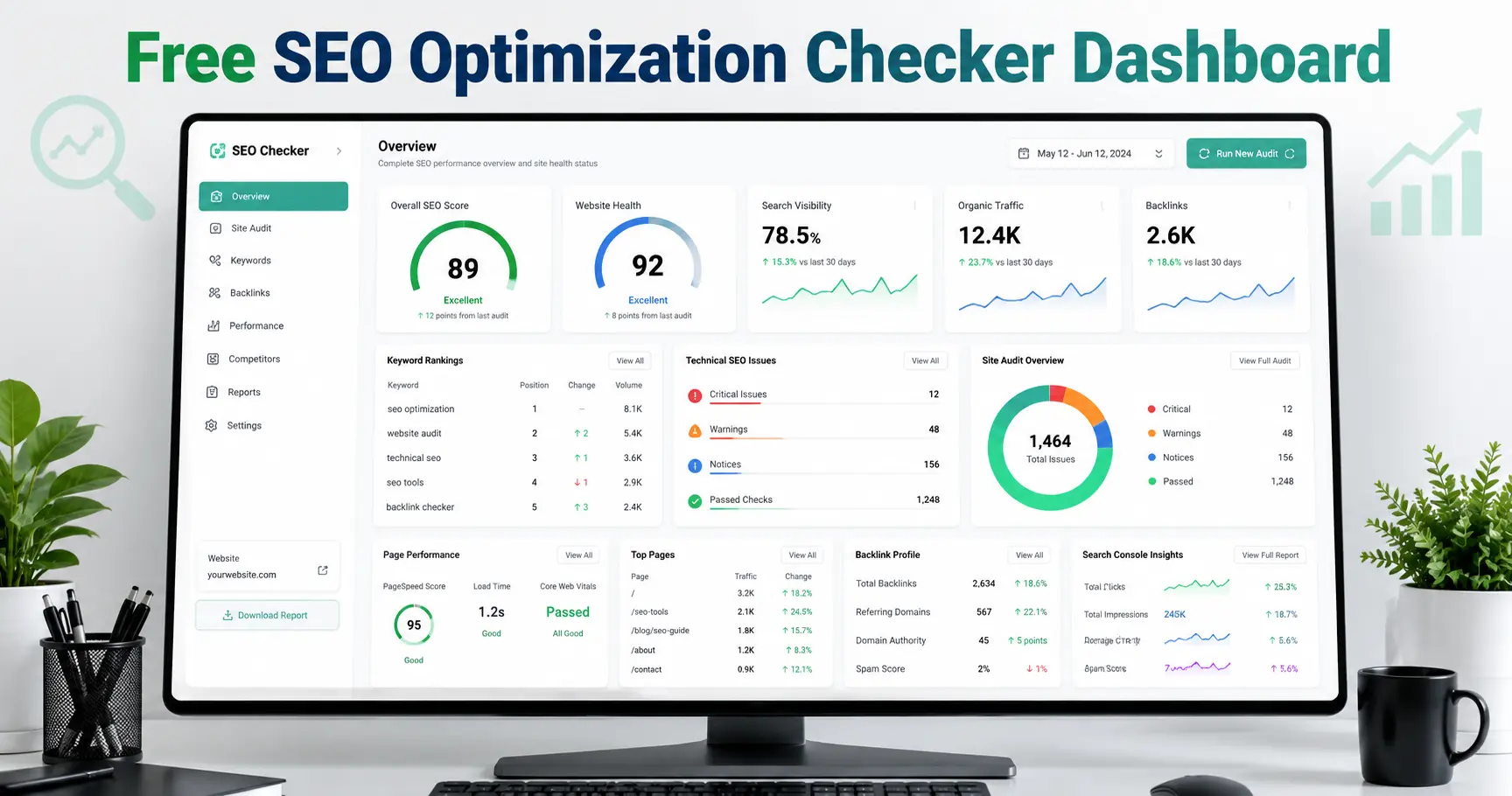
Want a free SEO optimisation checker? Learn what to scan for, which tools to trust, and how to fix issues fast. Get your free quote today!
Free SEO Optimization Checker: The Ultimate Guide to Improving Your Rankings
Picking the right free SEO optimization checker can save you weeks of guesswork. These tools scan your site, flag what's broken, and show you exactly where your rankings are leaking value — without costing you anything to get started.
Quick Answer: A free SEO optimization checker scans your website for technical errors, on-page gaps, and content issues, then hands you a prioritized list of fixes. The strongest free tools also flag whether your pages are structured well enough for AI search systems to read and cite — though they stop short of building you a full strategy.
If you've ever wondered why a competitor with thinner content outranks you, the answer is usually sitting in plain sight. It just takes the right tool to surface it. A free SEO optimization checker acts like a second pair of eyes on your website, catching the technical and on-page issues that are easy to miss when you're too close to your own content. You don't need a marketing degree to use one, and you definitely don't need a budget. You just need to know what to look for, how to read the results, and when the free version stops being enough.
Most site owners run a scan once, panic at the size of the issues list, and either fix nothing or fix the wrong things first. That's the real problem a free SEO optimization checker creates if you don't know how to use it: information without a clear next step. A forty-item warning list is intimidating, but it's also just a map. Once you know which markers on that map actually matter, the rest becomes a checklist rather than a crisis.
This guide walks through exactly that. We'll cover what a free SEO optimization checker actually scans for, which tools are genuinely worth your time, how to prioritize the issues they surface, what the data says about fixing those issues, and where a free SEO optimization checker reaches its limits.
What Does a Free SEO Optimization Checker Actually Check?
A good free SEO optimization checker does far more than spit out a single "score." It behaves like an automated auditor, working through your site section by section. Most tools in this
category focus on three core areas:
Technical errors — broken links, crawl errors, redirect chains, and slow server response times that quietly bleed traffic.
On-page issues — missing meta titles, duplicate or incorrect heading tags, unoptimized images, and thin content.
AI search readiness — whether your pages are structured clearly enough for generative AI systems like ChatGPT or Gemini to read, summarize, and cite as a source.
That last category matters more than it used to. Organic search is still the dominant channel for most websites, with industry research showing organic search drives roughly half of all website traffic, according to Search Engine Land's analysis of large-scale traffic data. But the way people find and consume that content is shifting, and a free SEO optimization checker that ignores AI visibility is only telling you half the story.
Beyond those three pillars, the better free tools also look at things like internal linking depth, the presence of structured data, mobile usability, and whether your XML sitemap matches what's actually live on the site. A page can pass every individual technical check and still underperform if it's an orphan page with no internal links pointing to it — which is exactly the kind of issue a thorough free SEO optimization checker is designed to surface before it costs you months of invisible traffic.
Which Free SEO Optimization Checker Should You Use?
Not every checker is built the same way, and the free tiers vary wildly in depth. Here are the ones worth bookmarking:
Google Search Console — the closest thing to a source of truth for indexing and ranking data, straight from Google itself. Browse the official Search Console overview to see what it tracks.
Google PageSpeed Insights — essential for tracking Core Web Vitals and load times, using both lab and real-world field data. Try it directly at pagespeed.web.dev.
Screaming Frog (Free Version) — still the gold standard for deep technical crawls on smaller sites, capped at 500 URLs in the free tier.
Semrush's Free SEO Checker — a quick snapshot of on-page optimization gaps, handy for a first-pass review.
None of these tools require payment to get useful, actionable output. The trade-off is that a free SEO optimization checker usually limits how many pages it crawls, or how often you can run a scan, so treat the free tier as a diagnostic starting point rather than an ongoing monitoring system.
How Do You Read the Results From a Free SEO Optimization Checker?
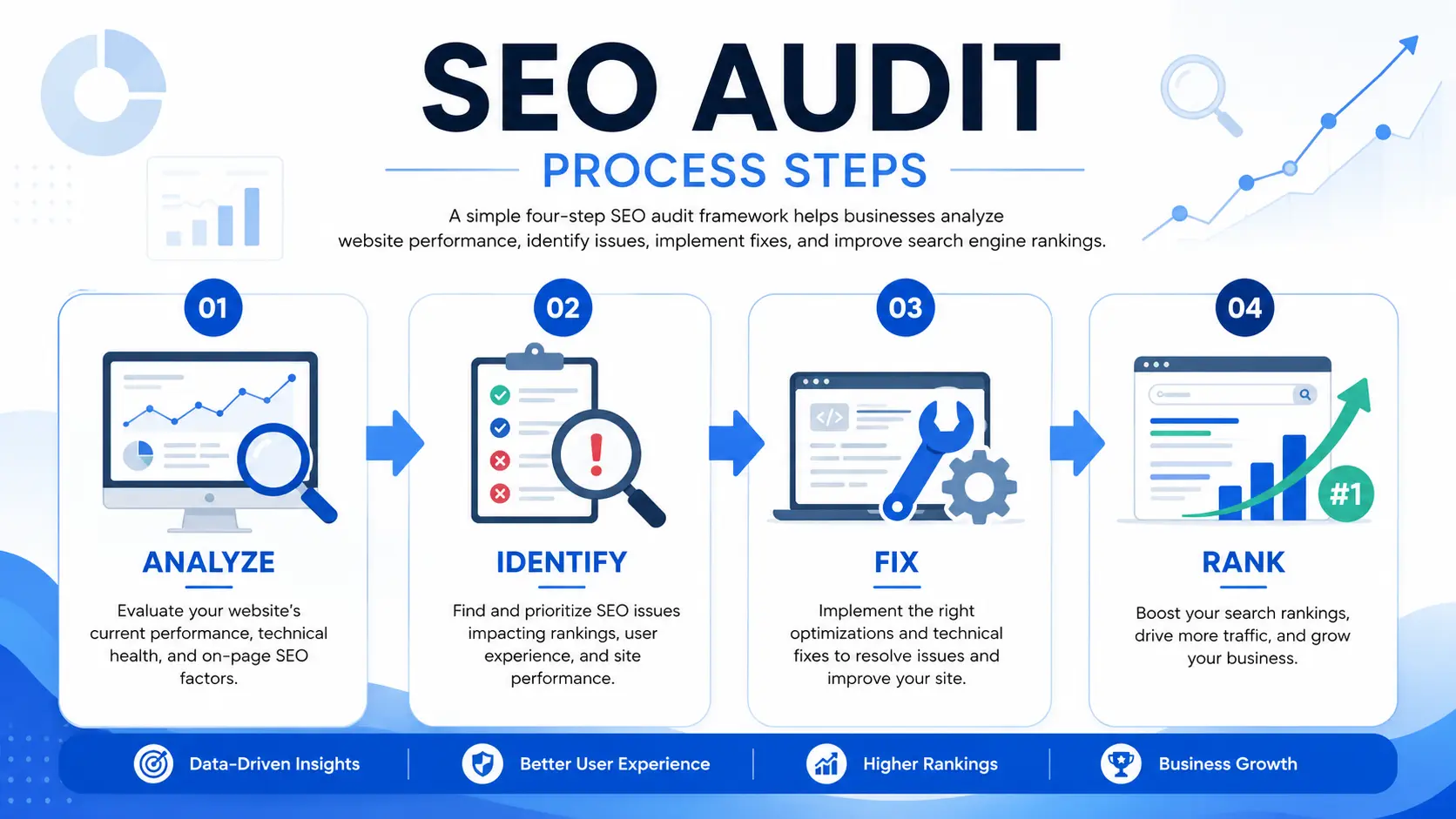
This is where most people get stuck. A scan can return dozens of flagged issues, and not all of them deserve equal attention. Use this priority order:
Critical technical errors first. Fix indexing blocks (robots.txt issues, accidental noindex tags) and 404 errors before anything else — these prevent Google from even seeing your content.
Meta and title tags next. These are typically the fastest wins for click-through rate, since they directly shape what searchers see on the results page.
Content depth after that. Thin pages that don't fully answer the searcher's question rarely hold rankings, even if every technical box is checked. Longer, more comprehensive content tends to earn meaningfully more organic visibility than shorter, surface-level posts on the same topic — which is part of why a free SEO optimization checker that flags "thin content" deserves more attention than it usually gets.
Performance fixes last. Compress images, defer non-critical scripts, and clean up render-blocking code.
A free SEO optimization checker is good at telling you what's wrong. Reading the results well is about knowing which fix moves the needle fastest for your specific site, not just working down the list top to bottom.
What Should You Fix First After Running Your Audit?
Two categories of issues consistently produce the biggest swings in performance once they're fixed: indexing/backlink problems and page speed.
On the indexing side, the numbers are sobering. An analysis of roughly 14 billion webpages found that 96.55% of all pages get zero organic traffic from Google, largely because they're never indexed properly or never earn a single relevant backlink. If your free SEO optimization checker flags pages with no internal links pointing to them, or pages excluded from the index, treat that as a five-alarm fire — not a footnote.
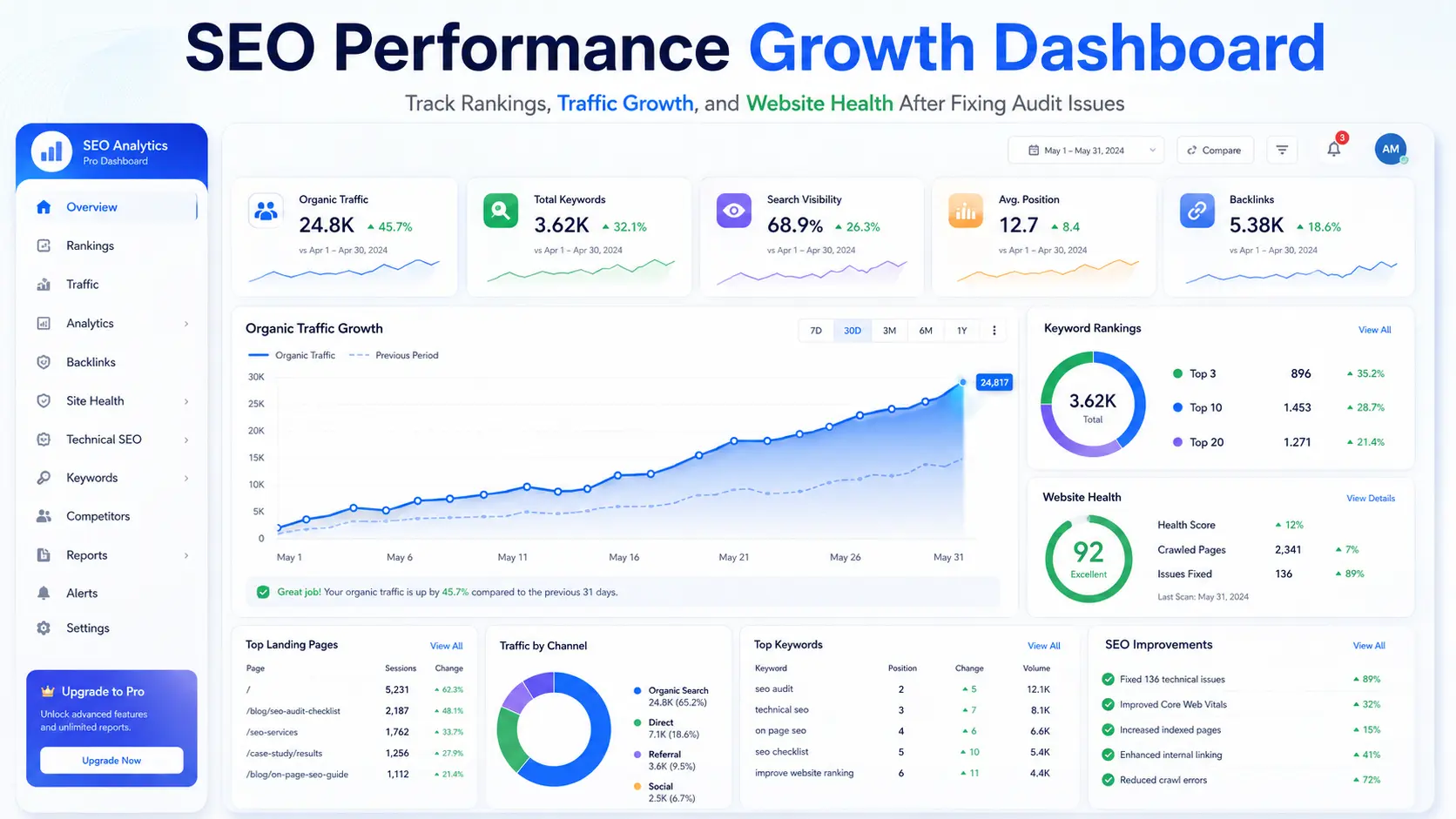
On the speed side, the business impact is just as concrete. When Vodafone Italy improved their Largest Contentful Paint score by 31%, they saw an 8% increase in sales, according to Google's own published Core Web Vitals case studies. That's not a hypothetical; it's a documented result from optimizing exactly the kind of performance metric a free SEO optimization checker will flag in seconds.
Can a Free SEO Optimization Checker Handle AI Search Readiness?
Partially. Most free tools can tell you whether your headings are structured logically, whether your content answers a clear question, and whether your pages load fast enough to be crawled efficiently — all of which influence whether AI systems treat your content as citable. Some checkers now flag missing structured data (schema markup), which directly affects whether your FAQ sections or product details show up in AI-generated answers.
What a free SEO optimization checker generally can't do is tell you how to restructure a page for AI visibility, or benchmark you against competitors who are already winning AI citations. AI Overviews and AI-generated answers are increasingly common on the search results page, and pages that lose visibility to them tend to see meaningfully lower click-through rates on the organic listing beneath them. A free checker can flag the symptom. It usually can't diagnose the deeper structural fix.
When Should You Move Beyond a Free Checker?
A free SEO optimization checker is a diagnostic device. It tells you what's wrong, but it doesn't always hand you a strategy to fix it — especially once the issues stack up across dozens or hundreds of pages. If a scan turns up:
Indexing problems spanning your whole site architecture, not just one page
Core Web Vitals failures that persist after the obvious image and script fixes
A pattern of pages with zero backlinks and no clear path to earning any
Thin content across entire sections of your site
Conflicting or duplicate metadata across templated page types
...that's usually the point where a manual audit and a content strategy will outperform another round of automated scanning. A checker can tell you that fifty product pages share the same title tag. It generally can't tell you how to restructure your taxonomy so that doesn't keep happening as you add new products. If you want a second opinion on what a checker flagged, you can browse some recent web development case studies to see how technical fixes have translated into measurable ranking gains, or just get in touch with a team that handles this daily.
Frequently Asked Questions
Are free SEO checkers accurate?
A: Yes, for the most part. They're reliable for technical and on-page signals like broken links, missing tags, and page speed. Where they fall short is deep competitive intelligence — seeing exactly what's driving a competitor's rankings, or modeling keyword difficulty across thousands of terms — which usually requires a paid tool or a manual audit.
How often should I run a free SEO optimization checker scan?
A: Monthly is a reasonable cadence for a small site. Larger e-commerce platforms with frequent content or inventory changes benefit from a weekly scan, since new pages and price changes can introduce fresh technical issues quickly. If you've just launched a major redesign, run a scan within the first 48 hours to catch anything that broke during migration.
Can a free SEO optimization checker replace an SEO agency?
A: For basic diagnostics, yes. For ongoing strategy, competitive positioning, and fixing root-cause architectural issues, no. Think of the checker as the smoke detector and a dedicated strategy as the fire department — one tells you something's wrong, the other figures out why it kept happening and stops it from recurring.
Does Google penalize sites for using free SEO checkers?
A: No. Running a scan has no effect on rankings either way. What matters is whether you act on the issues a checker surfaces — the tool itself is completely passive from Google's perspective, and most reputable checkers don't make any changes to your live site without your explicit action.
Why did my free SEO optimization checker score not improve after I fixed an issue?
A: Most checkers need to recrawl your site before the score updates, which can take anywhere from a few minutes to a few days depending on the tool. Also double-check you're looking at the latest scan and not a cached result from before your fix, and confirm the fix actually deployed to your live site rather than just a staging environment.
What's the difference between a free SEO optimization checker and a full SEO audit?
A: A checker gives you an automated, surface-level scan. A full audit typically combines that automated data with manual review, competitor analysis, and a prioritized action plan tailored to your specific site and goals — context that automated tools alone can't produce, since they don't know your business model or growth targets.
Conclu
sion: Make Your Free SEO Optimization Checker Work Harder
A free SEO optimization checker takes minutes to run, but the insights from it can shape months of improved traffic and stronger conversion rates if you actually act on them. Start with the technical errors, move to meta and title tags, then content depth, and finish with performance. The businesses that win at SEO aren't the ones with the fanciest tools — they're the ones who consistently act on what a free SEO optimization checker tells them.
Once you've worked through what a free checker can tell you and you're ready for a deeper, strategic pass, our team is ready to help.
Get Your Comprehensive SEO Audit Today→
Explore Our SEO Optimization Services→